2D CAD tool · PRO
How to fillet a corner in 2D CAD
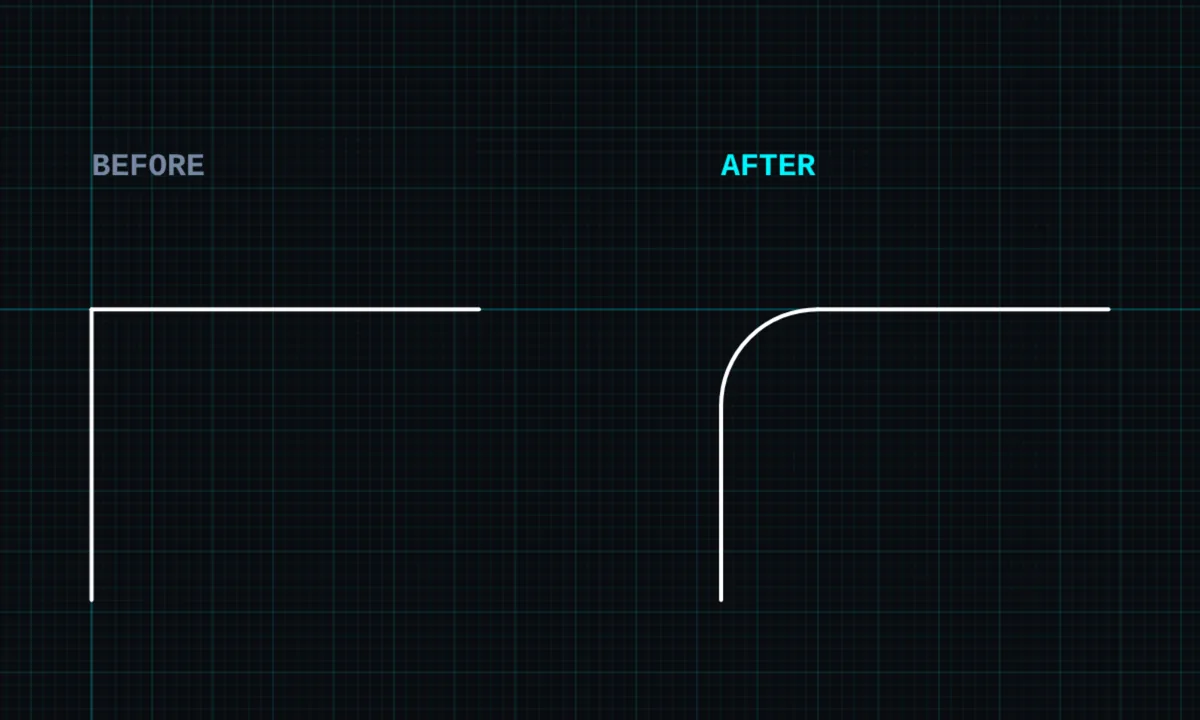
Fillet rounds the corner where two lines meet with a true arc of the radius you choose. The two lines are trimmed back so they run smoothly into the arc.
Fillet is a PRO tool. Drawing, trim, extend, join and dimensions are free.
How to use fillet in BenCAD
- Pick FILLETTap FILLET in the toolbar, in the Edit group.
- Tap the first lineTap one of the two lines that form the corner.
- Tap the second lineTap the other line. The fillet panel opens.
- Set the sizeChoose RADIUS to type the arc radius, or SETBACK to type how far back from the corner the arc starts. Enter millimetres and tap APPLY.
Tips
- The two lines must share a corner.
- For a straight cut across the corner instead of a curve, use chamfer.
- Filleted corners stay part of the drawing's geometry, so offset and radius dimensions work on them.
Questions
What is the difference between fillet and chamfer?
A fillet replaces the corner with a curve (an arc). A chamfer replaces it with a straight angled line.
Is fillet free?
Fillet is part of BenCAD Pro.
Related tools
Chamfer PROCut a corner with an angled lineTrimCut lines back to where they crossOffset PROParallel copy at an exact distance
Guides
More tools: all 2D CAD tools in BenCAD.