2D CAD tool · PRO
How to add a leader note in 2D CAD
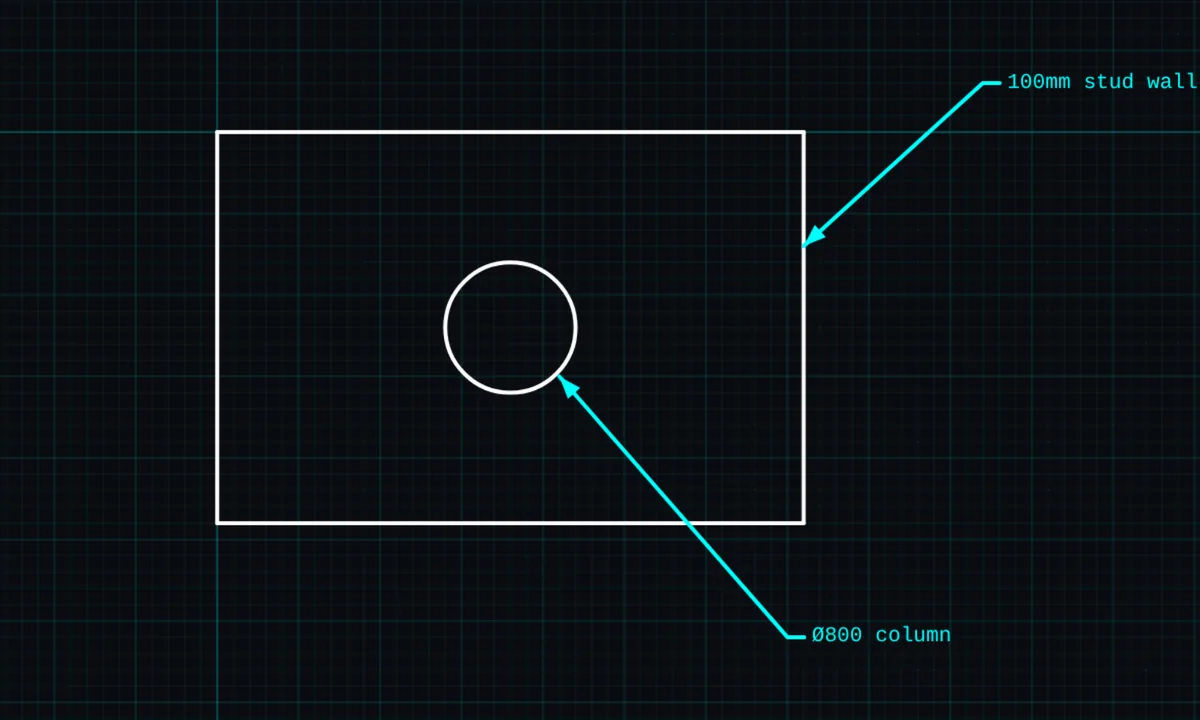
A leader is a note with an arrow pointing at the thing it describes, such as "100mm stud wall" or "M10 bolt". It keeps notes clear of the drawing while still showing exactly what they mean.
Leaders is a PRO tool. Drawing, trim, extend, join and dimensions are free.
How to use leaders in BenCAD
- Pick LEADTap LEAD in the toolbar, in the Annotate group.
- Drag from the featurePress on the thing the arrow should point at, and drag to where the note should sit.
- Type the noteType the note and place it.
Tips
- Edit a leader's text later with the EDIT tool.
- Leaders print at a readable size on the print-ready sheet.
Questions
Are leaders free?
Leaders are part of BenCAD Pro. Drawings with leaders still open and show correctly in the free version.
Related tools
TextNotes, sizes and coloursCentre marks PROMark centres and centre linesDimensionsLinear, angle, radius, diameter
Guides
More tools: all 2D CAD tools in BenCAD.