2D CAD tool · free
How to rotate objects in 2D CAD
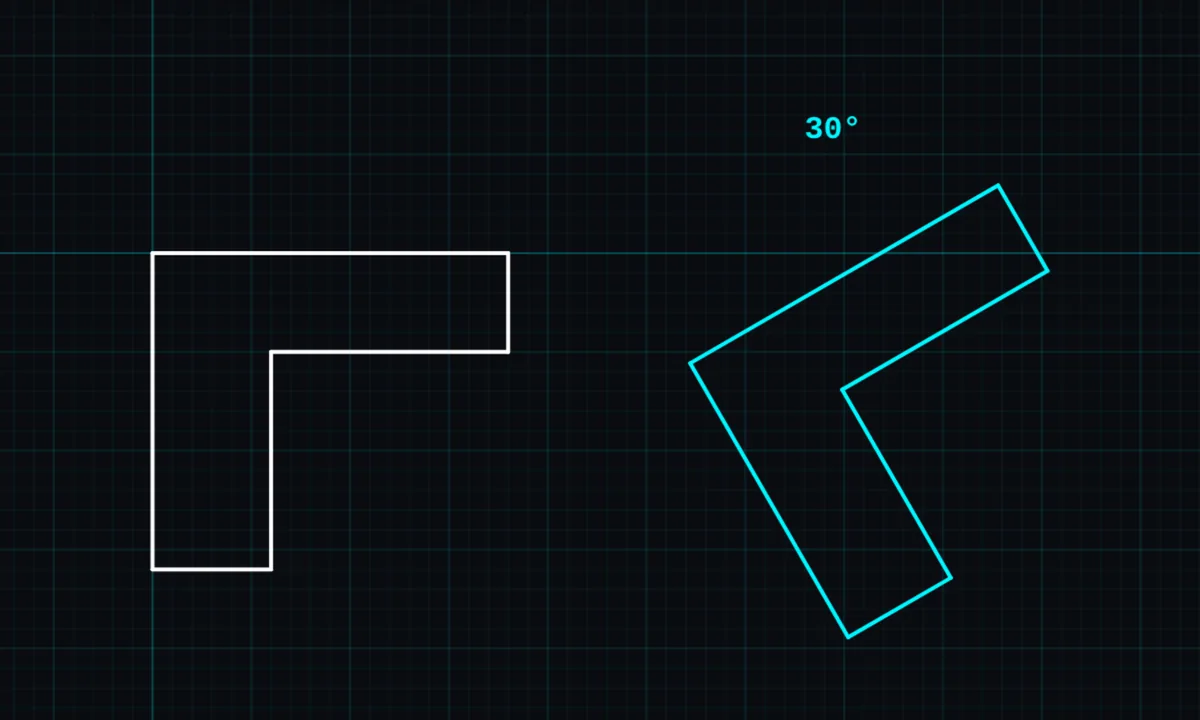
Rotate turns a shape about its centre. Type an exact angle, or drag to turn it by eye.
Opens BenCAD with rotate ready. No download, no sign-up.
How to use rotate in BenCAD
- Pick ROTATETap ROTATE in the toolbar, in the Modify group.
- Tap the objectTap the shape. Lines joined to it rotate with it. The rotate panel opens.
- Type the angleEnter the angle in degrees and choose CLOCKWISE or ANTI-CLOCKWISE, then tap APPLY.
- Or dragTap DRAG instead and drag on the canvas to rotate freely.
Tips
- Text, labels and leaders can be rotated too.
- To flip a shape rather than turn it, use mirror.
Questions
Is rotate free?
Yes, rotate is in the free version.
Related tools
MoveDrag freely or point to pointMirror PROFlip a copy across any lineScale PROBigger or smaller, by factor or length
More tools: all 2D CAD tools in BenCAD.