2D CAD tool · PRO
How to mirror objects in 2D CAD
Mirror flips a shape across a line you draw. Keep the original to make a symmetrical copy, or delete it to flip the shape in place.
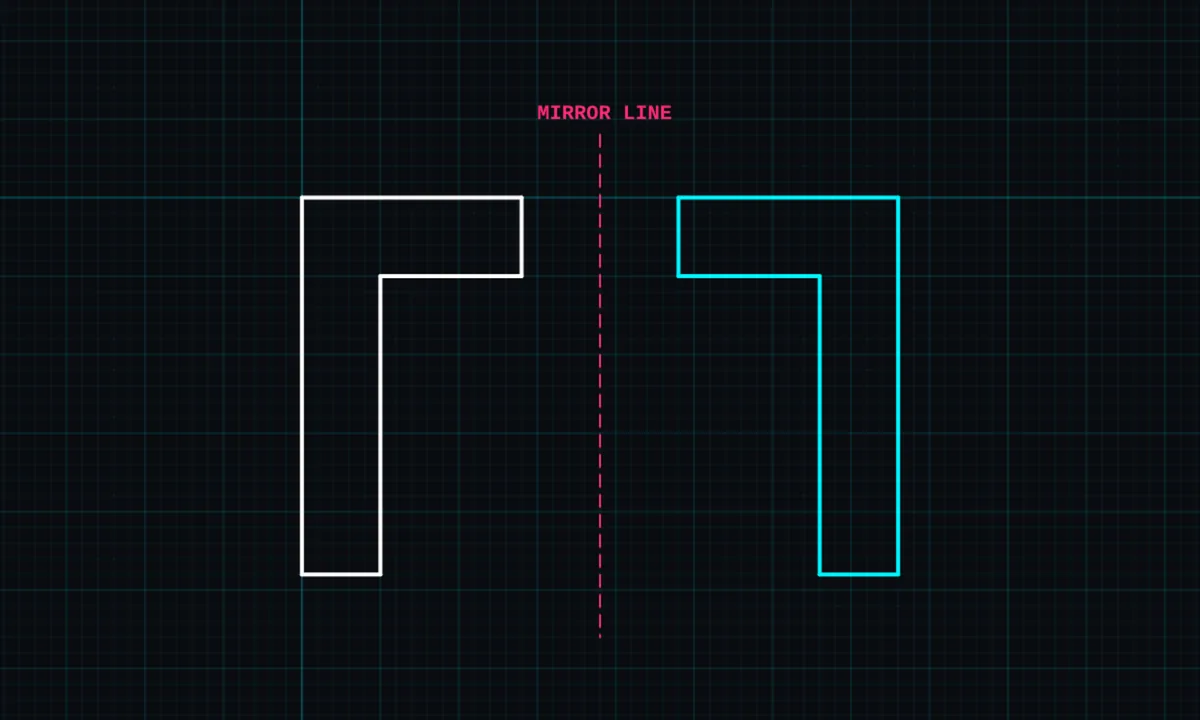
Mirror is a PRO tool. Drawing, trim, extend, join and dimensions are free.
How to use mirror in BenCAD
- Pick MIRRORTap MIRROR in the toolbar, in the Modify group.
- Tap the objectTap the shape to mirror. Lines joined to it are mirrored together.
- Keep or delete the originalChoose KEEP for a mirrored copy, or DELETE to flip the original. Tap APPLY.
- Drag the mirror lineDrag on the canvas to draw the line to mirror across, then let go. Snapping helps you start and end on exact points.
Tips
- Draw half of a symmetrical part, then mirror it to get the other half exactly.
- Mirror a room layout to show the handed version of a semi-detached or terraced plan.
Questions
Is mirror free?
Mirror is part of BenCAD Pro.
Related tools
RotateExact angle or freehandCopy PROTap to place copiesOffset PROParallel copy at an exact distance
Guides
More tools: all 2D CAD tools in BenCAD.