2D CAD tool · PRO
How to explode a shape in 2D CAD
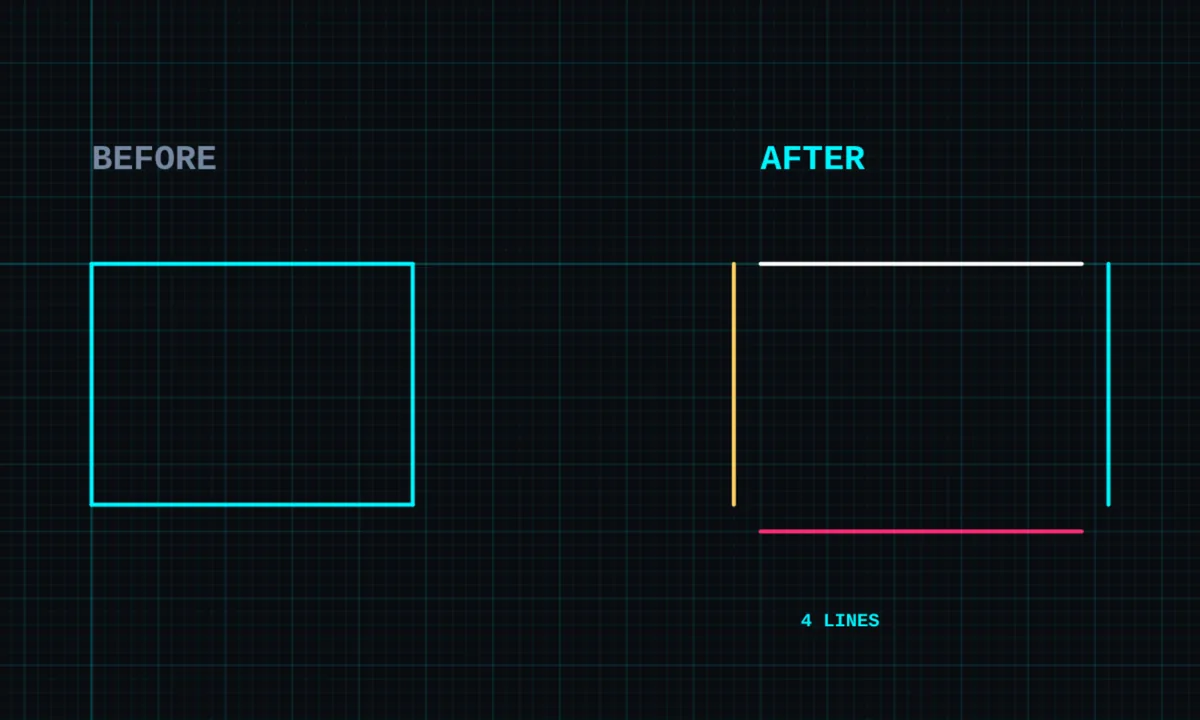
Explode breaks a rectangle, polygon, block or joined shape into its separate lines, so you can change one side without affecting the rest.
Explode is a PRO tool. Drawing, trim, extend, join and dimensions are free.
How to use explode in BenCAD
- Pick EXPLODETap EXPLODE in the toolbar, in the Edit group.
- Tap the shapeTap the rectangle, polygon, block or joined shape. It is broken into separate pieces.
- Or explode a selectionSelect several shapes first with SELECT, then tap EXPLODE to break them all up.
Tips
- Exploding does not move anything; the drawing looks the same, but each side is now its own line.
- Put pieces back together with join.
Questions
Is explode free?
Explode is part of BenCAD Pro.
Related tools
JoinMake one shape from many linesBlocks PRODoors, windows, fixtures, furnitureDeleteRemove lines, dims and labels
More tools: all 2D CAD tools in BenCAD.